Play YouTube videos from the command line in a convenient way
- Shell 82.2%
- Nix 17.8%
| images | ||
| flake.lock | ||
| flake.nix | ||
| README.org | ||
| tyt | ||

tyt
Terminal YouTube (tyt) is a small bash script that lets you play YouTube videos by query from the command line.
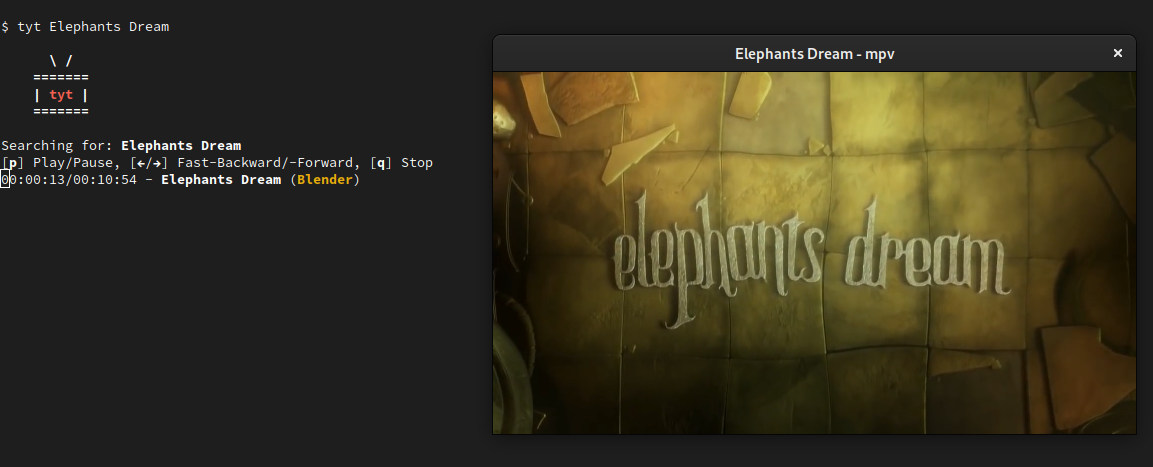
Features
- Search and play videos with one command
- Interactively select a video from a list
- Download a video to the current working directory
There is a --music flag, so you can substitute video with song in the above list.
Execution
Dependencies
If you are running tyt as Nix flake you don't have to care about dependencies. A mpv version with scripts is used by default, this enables MPRIS support and skipping sponsored segments of videos.
If you are not running Nix, make sure the following dependencies are installed on your system and hope that everything works:
Usage
  Usage: tyt [OPTIONS] QUERIES ... [OPTIONS]

  Play YouTube videos from the command line in a convenient way.

  OPTIONS
    -h,  --help         Show this help message
    -a*, --alternative  Play an alternative video (e.g. -aaa for third
                        alternative)
    -d,  --download     Download video (or audio if -m is provided) to the current
                        directory
    -i,  --interactive  Interactive mode (overrides --alternative)
    -m,  --music        Play only the audio track

  EXAMPLES
    tyt Elephants Dream                    # Search for 'Elephants Dream' and play
                                           # the video
    tyt -m The Beatles - Yellow Submarine  # Search for 'The Beatles - Yellow
                                           # Submarine' and play only the music
    tyt -i -s Elephants Dream              # Search for 'Elephants Dream'
                                           # interactively and download the
                                           # selected video