| images | ||
| public | ||
| raincloud | ||
| .gitignore | ||
| flake.lock | ||
| flake.nix | ||
| MANIFEST.in | ||
| README.org | ||
| run.py | ||
| setup.py | ||

raincloud
A self-hosted file sharing cloud for you and your firends.
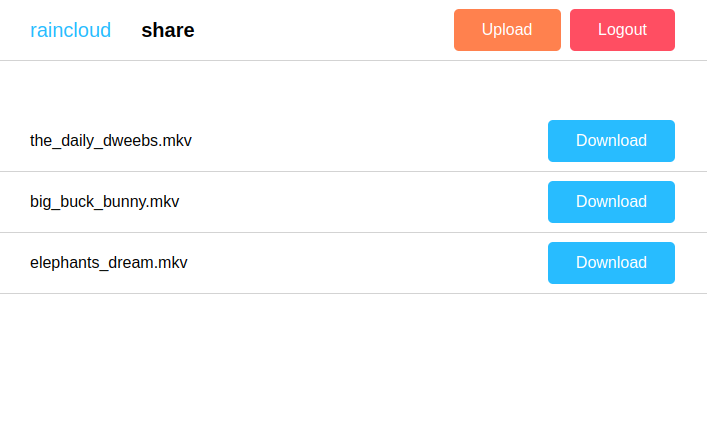
Your friends can't use tools like magic-wormhole and you don't want them to upload private data to dubious hosters? You want to store a file from a computer you don't own and forgot your USB stick? Then maybe raincloud is for you.
A flat directory structure is used to generate HTTP routes on the fly.
All subdirectories in a base path form a route if they contain a rc.toml configuration file.
This configuration file can be used to allow downloading and uploading files to a directory or protecting routes with passwords.
Example
Assuming you host raincloud at https://cloud.example.com and your base path is /var/www/public with the following directory structure:
  public
  ├── alice
  │   ├── big_buck_bunny.mkv
  │   ├── elephants_dream.mkv
  │   ├── rc.toml
  │   └── the_daily_dweebs.mkv
  └── inbox
      ├── logo.svg
      └── rc.toml
Then the following two routes exist:
https://cloud.example.org/alicehttps://cloud.example.org/inbox
All other routes return 404 Not Found.
If the files are downloadable, people can upload new files or the files are password protected can be configured in the rc.toml files.
This repository contains the above listed public directory for testing raincloud locally.
Just execute the following two command and navigate to http://localhost:5000/inbox.
$ pip install flask toml
$ ./run.py
The password for the alice directory is movie_evening!.
Installation
Call the following command in the repository to install the module:
$ pip install .
A WSGI server like Gunicorn can then be used to serve the app for example like this:
$ gunicorn "raincloud:app()"
Note that currently only one worker is supported due to server side session caching.
NixOS
This repository is also a Nix Flake which provides a NixOS module. A minimal running instance can be setup for example like this:
  raincloud.nixosModule {
    services.raincloud = {
      enable = true;
      basePath = "/var/lib/raincloud";
    };
  }
All configuration options are:
| Option | Description | Default value | |
|---|---|---|---|
| address | Bind address of the server | 127.0.0.1 | |
| port | Port on which the server listens | 8000 | |
| user | User under which the server runs | raincloud | |
| group | Group under which the server runs | raincloud | |
| cloudName | Name of the raincloud | raincloud | |
| basePath | Base path of the raincloud | ||
| secretKey | Flask secret key | i_am_a_key |
Configuration
raincloud provides two configuration options:
- CLOUD_NAME
- Name of the raincloud
- SECRET_KEY
- Flask secret key
- BASE_PATH
- Base path of the raincloud
Those can e.g. be stored in a raincloud_settings.py file.
The filepath can directly be passed to raincloud.app(/path/to/raincloud_settings.py) or stored in an environment variable $RAINCLOUD_SETTINGS.
Look at the file raincloud/default_settings.py to see how to define them.
rc.toml
A rc.toml file can contain three configuration parameters.
Here is a default file which can be used as template:
  # Create a password hash with 'mkpasswd -m sha-256' or 'mkpasswd -m sha512' and paste it here.
  # If the following line is uncommented and a hash is set, the directory is password protected.
  #
  # hashed_password = ""

  # Set this to 'true' to allow file downloads from this directory
  download = false

  # Set this to 'true' to allow uploads to this directory
  upload = false